
The Family Album Did Not Disappear, It Changed Shape
A family photo used to be something you held in your hands. Now it might live inside a phone, a paid cloud plan, a hard drive, a NAS, or a self-hosted app that only one person in the family knows how to maintain.
That shift sounds convenient until the library grows to 2TB, everyone wants remote access, phones need automatic backups, and privacy becomes part of the decision. That is exactly the tension behind many modern photo storage debates: the old problem was “where do we put the albums?” The new problem is “who controls the archive, who can see it, and what happens if the system breaks?”
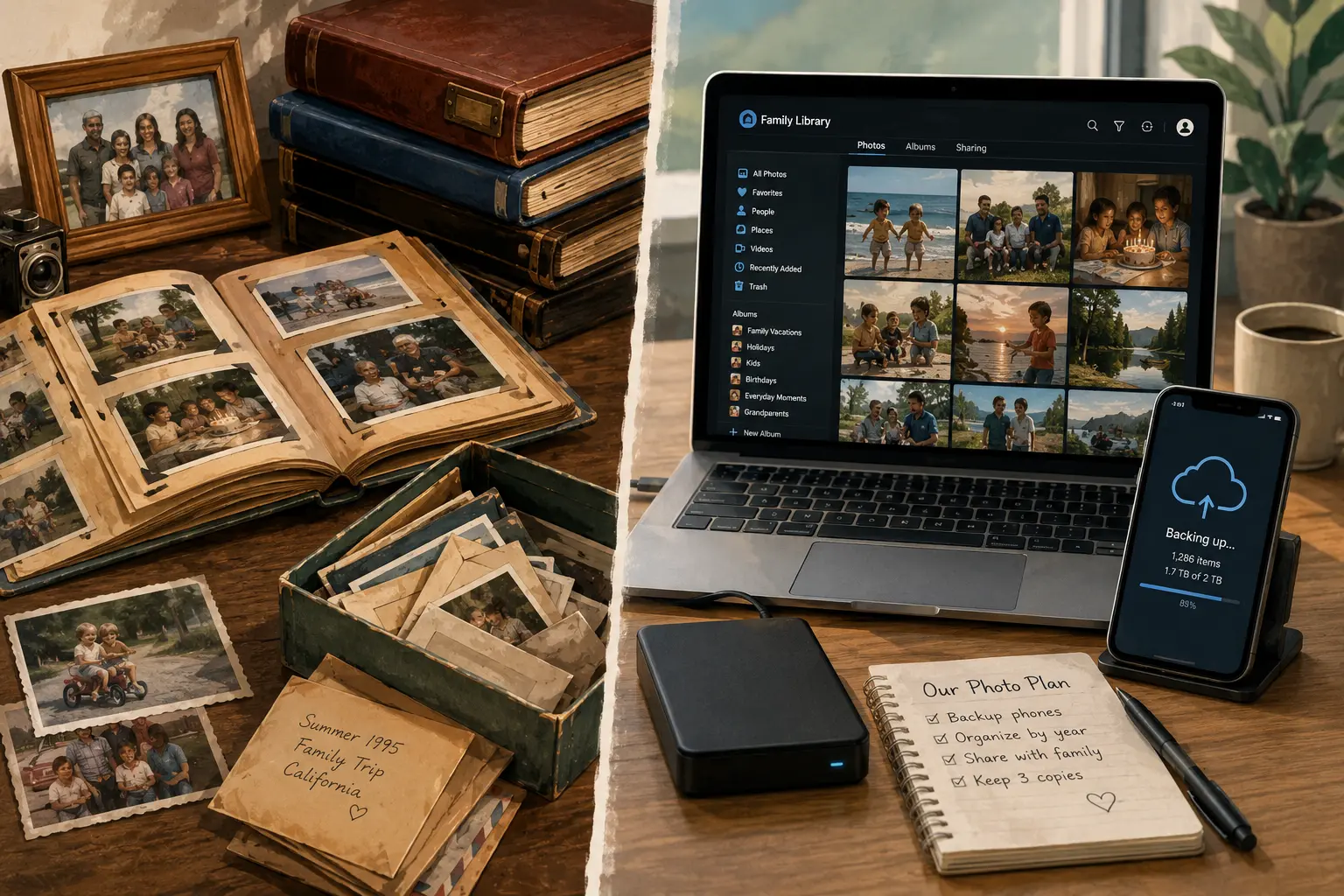
This then vs now comparison looks at how families stored pictures before, how they store them today, and why seeing the photos has become just as important as saving them.
The Big Shift From Keeping Photos to Managing Them
For decades, family pictures were physical objects. A roll of film became prints. Prints went into albums, frames, envelopes, drawers, shoeboxes, or plastic bins. Storage was messy, but the viewing experience was simple. Someone pulled out an album, passed it around, and the family saw the same set of memories together.
Now the family photo archive behaves more like a small media system. A single household can easily build a library with years of phone photos, screenshots, edited images, WhatsApp saves, school videos, baby clips, vacation videos, scanned photos, and duplicates. The photos are not just “stored.” They are synced, indexed, backed up, deduplicated, shared, searched, compressed, and sometimes locked inside a service account.
The old family album had one weakness: it could be lost, burned, flooded, or forgotten. The modern digital archive has different weaknesses: subscription creep, account lockout, failed drives, confusing sharing permissions, abandoned apps, and one tech-savvy relative becoming the unofficial family archivist.
7 Then vs Now Changes in Family Photo Storage
1. Then: one album per event. Now: one giant rolling camera roll.
Then, a birthday party might have 24 or 36 printed photos. Now, the same event can create hundreds of images across multiple phones, plus short videos, Live Photos, edited copies, and duplicates sent through messaging apps.
The upside is obvious. Families capture more ordinary moments, not just posed holidays and formal events. The downside is that the archive becomes harder to curate. Without cleanup, the real memories get buried under near-identical shots, blurry clips, screenshots, and “just in case” saves.
2. Then: the storage was visible. Now: the storage is invisible.
A shelf full of albums told you where the memories were. A box under the bed was not elegant, but it was understandable.
Today, the storage may be split across Google Photos, iCloud, OneDrive, external drives, old laptops, social media accounts, USB sticks, and a phone with a cracked screen. The family may think everything is “backed up,” when in reality some items are only synced, some are only on one device, and some depend on a subscription staying active.
That invisibility is the modern risk. People feel safer because they do not see clutter, but the archive may be more fragile than it looks.
3. Then: sharing meant gathering. Now: sharing means permissions.
In the old model, seeing family pictures required physical presence. Someone opened an album at the kitchen table. A relative mailed doubles. Grandparents kept framed prints.
Now, sharing often means creating an album link, adding family members, sending a cloud invite, or setting up remote access. That is powerful, especially for families spread across states or countries. It also creates friction. A relative may not want another app. Someone may forget a password. A private album link might get forwarded. A self-hosted library may require VPN access that is easy for the owner but confusing for everyone else.
The family does not judge the system by how technically impressive it is. They judge it by whether they can open the photos without calling the “IT person” of the family.
4. Then: privacy was physical. Now: privacy is contractual and technical.
A printed album was private because it stayed in the house. Digital privacy is more complicated. Cloud storage adds convenience, but the photos live under a provider’s terms, security model, account rules, and storage plan. Self-hosting gives more control, but it also transfers responsibility to the family member running the server.
That tradeoff matters. A private NAS in the house can feel comforting, but privacy without backups is not enough. A trusted cloud service can feel less private, but it may reduce the chance of losing everything because a single hard drive failed.
The best answer is rarely “cloud is bad” or “self-hosting is better.” The better question is: which risk is this family more prepared to manage?
5. Then: backups meant copies. Now: sync gets mistaken for backup.
Printed photos had a crude backup system: negatives, duplicate prints, and copies sent to relatives. It was imperfect, but people understood that a copy in another house was safer than one box in one closet.
Digital systems blur the line. A synced photo library is convenient, but sync is not the same as a true backup. If a photo is deleted, corrupted, or overwritten, the change may sync across devices. A real backup protects against mistakes, device loss, drive failure, and accidental deletion.
For family memories, the practical rule is simple: keep at least one local copy, one backup copy, and one off-site copy. The off-site copy can be cloud storage, a backup provider, or a drive stored somewhere else. The point is not to make the setup fancy. The point is to avoid one mistake taking the whole family archive with it.
6. Then: the album owner was obvious. Now: ownership is blurry.
In many families, one person kept the albums. Everyone knew who had the wedding photos, the baby pictures, or the old vacation prints.
Now ownership gets blurry. Dad pays for the cloud plan. Mom has the best phone camera. One sibling manages the NAS. A teenager has the only copy of a certain graduation video. An old account contains photos no one can access anymore.
A modern family archive needs an ownership plan. Who pays? Who has admin access? Who can recover the account? Who knows where the backups are? Who gets access if the main organizer is unavailable?
These are not dramatic questions. They are practical ones. Family memories should not depend on one forgotten password.
7. Then: viewing was slow but meaningful. Now: viewing is instant but scattered.
The old album made people slow down. You did not scroll past 900 pictures. You sat, pointed, laughed, and told stories.
Now photos are easier to access, but harder to experience together. Everyone has their own screen. Algorithms surface “memories,” but not always the ones the family would choose. A shared TV slideshow, digital frame, or organized yearly album can bring back some of that shared experience.
The real win is not storing every photo forever. The win is making the best photos easy to see again.
How Families Actually See the Photos Now
Most families do not open a 2TB archive for fun. They see pictures when the system brings them forward: a phone memory notification, a shared album, a search for “beach,” a TV cast, a digital frame, or a relative asking for “that one photo from the party.”
That means the viewing layer matters as much as the storage layer. A plain external hard drive may be a good backup, but it is a poor family viewing system. A cloud library may be easy to browse, but it can become expensive or uncomfortable for privacy-conscious families. A self-hosted app can feel close to a private Google Photos replacement, but only if remote access, user accounts, mobile backups, and maintenance are handled well.
Quick Reality Check
Before choosing a system, ask:
- Can every important family member view the photos without help?
- Are phone photos backed up automatically or only when someone remembers?
- Is there a copy outside the house?
- Can the archive survive one failed drive?
- Can someone else recover the system if the main organizer is unavailable?
- Are the best photos curated somewhere, or is everything buried in the full archive?
The Modern Family Photo Storage Decision Guide
A family photo setup should match the family’s patience level, not just the storage size.
Choose cloud storage when convenience matters most.
Cloud storage makes sense when the family wants easy phone backup, simple sharing, low maintenance, and access from anywhere. It is usually the least painful option for relatives who do not want to learn anything new.
The tradeoff is ongoing cost, provider dependence, privacy concerns, account recovery risk, and plan changes over time.
Choose a NAS or home server when control matters most.
A NAS, mini PC, or self-hosted photo app makes sense when someone in the household is comfortable maintaining hardware, updates, backups, and remote access. This route can give more control and flexibility, especially for larger libraries.
The tradeoff is that the family now owns the problems too: failed drives, security updates, power costs, network problems, and tech support for relatives.
Choose a hybrid setup when the photos are too important to gamble with.
For many families, the best practical answer is not cloud or NAS. It is both. Use one system for browsing and daily access, and another for backup. For example, a family might use a home NAS with a photo app for private viewing, plus cloud backup for disaster recovery.
Hybrid setups are less pure, but family memories do not care about purity. They care about surviving.
Mini Scenario: A 2TB Family Library in 2026
Imagine a family with about 2TB of photos and videos. The parents want automatic phone backups. Grandparents want easy viewing. Adult siblings live in different places. One person is comfortable with Linux, but nobody else wants to troubleshoot a server.
Here is a practical split:
| Need | Then | Now | Practical 2026 Approach |
|---|---|---|---|
| Main storage | Albums, boxes, framed prints | Cloud, NAS, phones, drives | Use one primary library, not five scattered ones |
| Family viewing | Living room albums | Apps, links, TV, digital frames | Create curated albums by year, event, and person |
| Backup | Negatives, duplicate prints | Local drive, cloud backup, off-site copy | Keep one off-site copy separate from daily sync |
| Privacy | Keep albums at home | Provider policies or self-hosted access | Match privacy goals to maintenance ability |
| Remote access | Mail prints or bring albums | Cloud links, VPN, self-hosted apps | Prioritize ease for non-technical relatives |
| Cost | Film, prints, albums | Subscriptions or hardware upfront | Compare 5-year cost, not just first purchase |
| Failure risk | Fire, water, loss | Account lockout, drive failure, bad sync | Test recovery before trusting the system |
A sensible setup might be: phones back up automatically, the full library is stored on a NAS or trusted cloud plan, the best photos are organized into shared albums, and a separate backup exists outside the house. That is not the cheapest setup. It is the setup least likely to make the family regret saving money in the wrong place.
When Not to Self-Host Family Photos
Self-hosting is attractive because it promises control. But it is not the right move for every family.
Do not self-host the only copy of family pictures if:
- You do not have a tested backup plan.
- You are not willing to update and maintain the system.
- Your family needs effortless access and you cannot provide it.
- You are using old drives with no redundancy.
- You would be the only person who knows how to restore the archive.
- You are choosing self-hosting only to avoid subscriptions, not because you want the responsibility.
There is nothing wrong with paying for a simpler service if it keeps the photos safer and more visible. There is also nothing wrong with building your own system if you understand that the job does not end after installation.
Pro tip: Do a “grandparent test.” If a grandparent or non-technical relative cannot open the shared album without instructions, the viewing system is not family-ready yet.
Final Takeaway
The biggest change in family pictures is not that they became digital. It is that storage, access, privacy, cost, and memory-making all became tangled together.
Then, the problem was protecting albums from dust, water, and time. Now, the problem is making sure a growing digital library is backed up, searchable, shareable, and still meaningful to the people in it.
A good modern setup does three things: it saves the full archive, protects it from one-point failure, and makes the best memories easy for the family to see. Everything else is a tool choice.
FAQs
Is cloud storage safer than keeping family photos on a hard drive?
Cloud storage can reduce the risk of losing photos because of a failed local drive, but it does not remove every risk. Accounts can be locked, subscriptions can lapse, files can be deleted, and sync mistakes can spread. A safer plan usually includes both convenient access and a separate backup.
Is a NAS better than Google Photos or iCloud for family pictures?
A NAS can be better for control, privacy, and long-term flexibility, especially if the library is large. Google Photos, iCloud, OneDrive, and similar services are usually better for ease of use. The right choice depends on who will maintain the system and how easily the family needs to view the photos.
What is the biggest mistake families make with digital photos?
The biggest mistake is assuming sync equals backup. Sync keeps devices updated. Backup protects against loss. A family archive should have at least one copy that does not instantly mirror every deletion or mistake.
How should families make old photos easier to see today?
Start by scanning the most important prints, naming folders by year and event, and creating a small curated album for each major family chapter. Do not begin with every photo ever taken. Begin with the pictures people will actually want to revisit.
Is self-hosting family photos worth it?
It can be worth it for families that value control and have someone willing to maintain the setup. It is not worth it if the archive becomes harder for relatives to access or less protected than a normal cloud plan.
- Immich Backup and Restore documentation: https://docs.immich.app/administration/backup-and-restore/
- Tailscale “What is Tailscale?” documentation: https://tailscale.com/docs/concepts/what-is-tailscale
- Backblaze Computer Backup pricing: https://www.backblaze.com/cloud-backup/pricing
Written by Marcus Irizarry, Raxan.net contributor covering coding, web design, IT services, ecommerce, video games, and media production.
Last updated: June 28, 2026
Editorial note: This article is an educational comparison based on public discussion around family photo storage, cloud storage, NAS setups, and self-hosted photo libraries. It is not personalized IT, legal, privacy, or data recovery advice.
References
- Reddit discussion, “Best way to store ~2TB of family photos/videos with remote access? NAS vs Cloud?”: https://www.reddit.com/r/selfhosted/comments/1uhgaho/best_way_to_store_2tb_of_family_photosvideos_with/
- Google One plan information: https://one.google.com/about/


0 Comments