
The Doom Text You Almost Ignored
Nothing says “modern life is fragile” like a cell carrier casually telling you, “Hey, upgrade in 30 days or enjoy your new career as a person nobody can verify.”
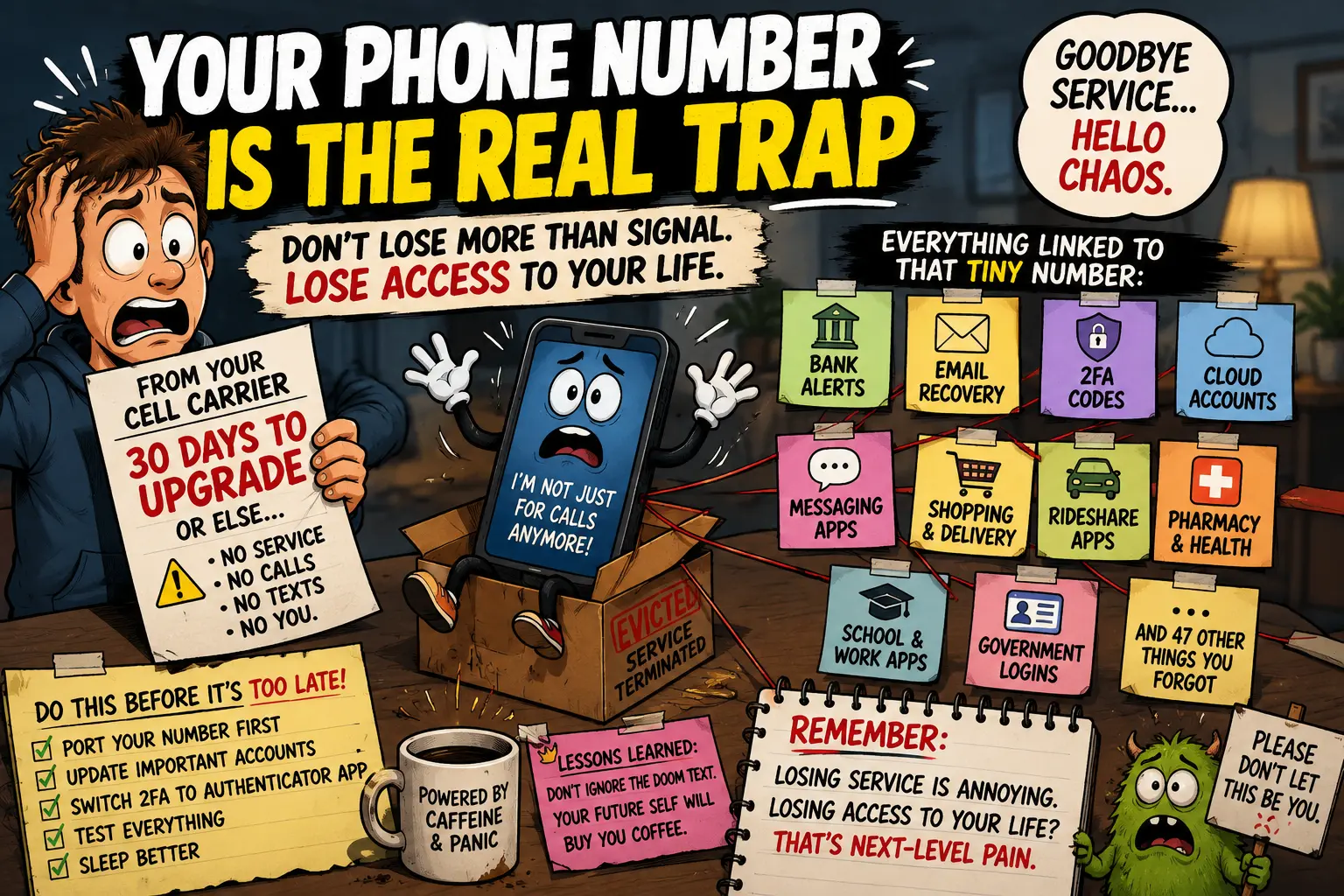
At first, it sounds simple. No big deal, right? Just switch carriers, port the number, move on with your life. Then you remember your phone number is attached to your bank, email, Apple ID, Google account, WhatsApp, pharmacy, kid’s school app, delivery apps, tax login, social media, and probably one weird website you joined in 2014 to win a free blender.
That’s the real problem. The carrier is not just cutting service. It is poking the Jenga tower of your digital identity with a broomstick.
The Tiny Number Holding Your Life Hostage
- The Doom Text You Almost Ignored
- Your Phone Number Is Not Just a Phone Number
- The Panic Checklist Before You Lose Service
- What To Do Before the Carrier Pulls the Plug
- Final Take
- FAQs
- References
The Doom Text You Almost Ignored
The inspiration for this little digital panic attack is TextNow’s 2026 service update outside the United States. In that notice, TextNow says its wireless cellular coverage will no longer be available outside the U.S. after July 30, 2026, affecting users with TextNow SIM service in Canada, Mexico, and Puerto Rico.
To be fair, that is not the worst version of this story. TextNow says the number stays on the account for three months, Wi-Fi calling and texting continue, and users can port the number to another carrier.
Still, the feeling is the same as getting a note from your landlord that says, “Good news, your couch is safe. Bad news, the building is leaving.”
Your Phone Number Is Not Just a Phone Number
Your phone number used to be a thing people called. Cute. Ancient. Adorable.
Now your phone number is basically a tiny plastic key to your life. It helps prove you are you, which is hilarious because half the time you are just trying to log in from your own couch and the app is acting like you are a raccoon in a trench coat.
Here is what may be linked to that number:
- Bank and credit card alerts
- Email recovery
- Apple ID, Google account, Microsoft account
- Two-factor authentication codes
- WhatsApp, Signal, Telegram, and other messaging apps
- Social media logins
- Food delivery and rideshare apps
- Insurance, pharmacy, and medical portals
- School, work, or government accounts
- Password managers and recovery tools
The phone number is not the whole identity, but it is often the emergency door. If that door disappears, some apps do not calmly say, “No worries.” They say, “We do not know you, stranger.”
The Panic Checklist Before You Lose Service
Before your carrier cutoff date turns into a personal tech horror movie, do this:
Port the number first, cancel later.
Do not cancel the old service and then try to save the number from the digital swamp.Update your most important accounts.
Start with email, banking, Apple, Google, Microsoft, password manager, and anything involving money.Change two-factor authentication where possible.
Use an authenticator app or security key when available. SMS is convenient, but convenience is how chaos enters wearing flip-flops.Check WhatsApp and messaging apps.
These apps often treat your phone number like your passport.Save carrier account details.
You may need account number, PIN, port-out info, billing ZIP code, and support chat records.Do not wait until the last night.
The last night is when the website is down, the support chat has 47 people ahead of you, and your laptop suddenly needs an update.
What To Do Before the Carrier Pulls the Plug
The best move is boring, which is unfortunate because boring is usually correct.
Pick a new carrier that actually works where you live. Request the port. Keep the old account active until the transfer is done. Then test calls, texts, bank codes, email recovery, and your main apps.
A good rule: if losing access to an account would make you say words not allowed at Thanksgiving dinner, update that account before the phone number goes unstable.
Quick Sanity Table
| Account Type | Why It Matters | Fix It First? |
|---|---|---|
| Main email | Controls password resets | Yes, immediately |
| Bank apps | Money, fraud alerts, identity checks | Yes, immediately |
| Apple/Google | Phone, photos, backups, purchases | Yes, immediately |
| Messaging apps | Your contacts may depend on the number | Yes |
| Shopping apps | Annoying, but usually recoverable | Later |
| Random old logins | Digital junk drawer | Eventually, maybe |
Final Take
The real villain is not always the carrier. Sometimes the villain is the fact that we let one phone number become the skeleton key for half our lives.
So when a carrier says “upgrade, port, or lose service,” do not treat it like a regular bill reminder. Treat it like your digital house is being moved to a new address, and every app needs the forwarding notice.
Because losing cell service is annoying. Losing access to your bank because your old number vanished into the carrier fog? That is premium-grade nonsense.
FAQs
Q1. Should I cancel my old carrier before porting my number?
A1. Usually, no. Port the number first and keep the old service active until the transfer is complete.
Q2. What is the first account I should update?
A2. Start with your main email account, because it often controls password resets for everything else.
Q3. Is SMS two-factor authentication bad?
A3. It is better than having no protection, but it depends on your phone number. When possible, use an authenticator app or security key for important accounts.
By: Raxan.info Editorial Team
About the author: Raxan.info publishes practical consumer-tech commentary, online safety explainers, and plain-English digital-life guides.
Last updated: 2026-07-02
Disclosure: Editorial content only. This is not legal, financial, or carrier-specific account advice.
Disclaimer
This article is general consumer information. Carrier policies, porting timelines, and account recovery rules can vary. Check your carrier account, your new provider, and your most important services before making changes.
References
- TextNow Support, “2026 Service Update Outside of the United States”: https://help.textnow.com/hc/en-us/articles/40422940788503-2026-Service-Update-Outside-of-the-United-States
- FCC, “Porting: Keeping Your Phone Number When You Change Providers”: https://www.fcc.gov/consumers/guides/porting-keeping-your-phone-number-when-you-change-providers
- FTC Consumer Advice, “Use Two-Factor Authentication To Protect Your Accounts”: https://consumer.ftc.gov/articles/use-two-factor-authentication-protect-your-accounts


0 Comments